
+1 Health Per Click Script is a newly released Lua-based Roblox script designed for players who want faster progression, automatic farming, and enhanced gameplay inside the popular +1 Health Per Click game. This script automates many repetitive gameplay mechanics, allowing players to gain health faster, defeat enemies automatically, and unlock upgrades with much less effort.
+1 Health Per Click is a Roblox clicker and simulator game where players continuously gain health through clicking, training, farming enemies, and unlocking stronger upgrades. As players progress further into the game, grinding for higher health levels and defeating stronger enemies can become very time-consuming. This script helps simplify the process by automating many of the core systems.
With features such as Auto Health Gain, Auto Click, Auto Kill Enemies, Teleport, Infinite Health, Auto Farm, Auto Train, and many additional utility tools, players can maximize efficiency and progress much faster than normal gameplay.
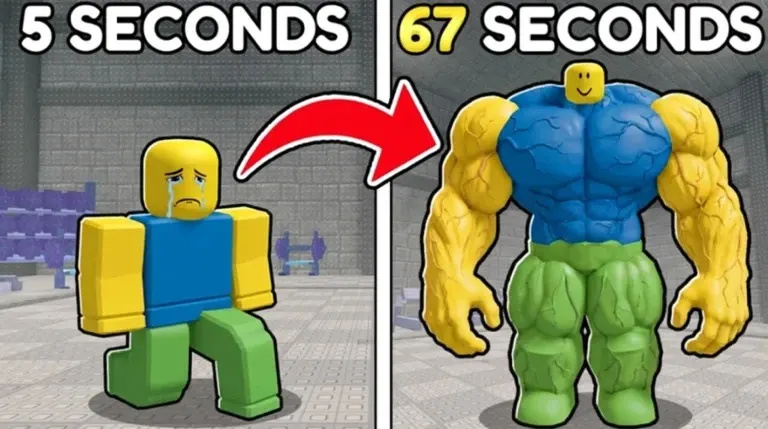
What Is +1 Health Per Click Script?
+1 Health Per Click Script is a custom Lua script that runs through a Roblox executor. Once executed, it loads a GUI menu that provides access to various automation and gameplay-enhancing features.
Instead of manually clicking, training health, defeating enemies, and farming rewards, the script performs these actions automatically. This allows players to continuously progress while reducing repetitive grinding.
Many versions of the script are updated regularly to remain compatible with Roblox updates and +1 Health Per Click patches. Some versions are keyless, while others may require a simple verification process before use.
Download & Copy All +1 Health Per Click (2026)
1 Health Per Click Script – No Key
loadstring(game:HttpGet("https://raw.githubusercontent.com/ApelsinkaFr/ApelHub/refs/heads/main/ApelHub"))()Tora Hub GU
loadstring(game:HttpGet("https://raw.githubusercontent.com/gumanba/Scripts/main/1HealthPerClick"))()Features Of +1 Health Per Click Script
- Auto Health Gain – Automatically increases health continuously without manual clicking.
- Auto Click – Performs automatic clicks for faster progression.
- Auto Kill Enemies – Automatically attacks and defeats nearby enemies.
- Teleport – Instantly travel to different zones and important locations.
- Infinite Health – Improves survivability during battles and farming sessions.
- Auto Farm – Continuously farms enemies, rewards, and progression systems.
- Auto Train – Automatically trains stats and health upgrades.
- Fast Progression – Helps players unlock upgrades and new zones more quickly.
- AFK Farming – Allows continuous progression while away from the keyboard.
- Anti AFK – Prevents inactivity kicks during long farming sessions.
- Simple GUI Interface – Easy-to-use dashboard with customizable options.
- Performance Optimization – Improves farming efficiency and reduces repetitive grinding.
- Additional Utility Features – Includes extra automation and quality-of-life tools.
These features are designed to help players spend less time grinding and more time progressing.
Why Players Use +1 Health Per Click Script
Many players use +1 Health Per Click Script because clicker and simulator games often require repetitive clicking and extensive farming to unlock stronger upgrades.
Features such as Auto Click and Auto Health Gain allow players to continue progressing without manually repeating the same actions. Auto Kill Enemies is especially useful because it helps players defeat enemies automatically for faster rewards and progression.
The script is particularly popular among players who want smoother progression and easier farming systems.
Benefits Of Using the Script
The script offers several gameplay advantages:
- Faster health progression
- Automatic clicking systems
- Easier enemy farming
- Reduced repetitive grinding
- Improved survival during battles
- Better resource collection
- Faster unlocking of zones and upgrades
- Convenient AFK farming
These features help players maximize efficiency and reduce manual effort.
How to Use +1 Health Per Click Script in Roblox
Running a script usually follows a simple process:
- First of all, open Roblox.
- Join the +1 Health Per Click game.
- Launch a script executor tool.
- Copy the script from the official website of +1 Health Per Click Script.
- Paste the +1 Health Per Click Script into the executor.
- Click on the execute button.
- Wait for the GUI menu to appear.
- Enable features such as Auto Click, Auto Farm, or Auto Train.
Most versions provide a simple control panel where all functions can be enabled or disabled with one click.
Supported Executors
The script is commonly compatible with many Roblox executors, including:
- Delta
- KRNL
- Fluxus
- Wave
- Xeno
- Hydrogen
- Arceus X
- Synapse X
Compatibility may vary depending on Roblox updates and executor versions.
Risks and Important Warnings
Although the script provides many useful automation features, there are still risks involved.
Roblox does not officially support exploit scripts or executors. Using third-party scripts may violate Roblox’s Terms of Service and could result in warnings, temporary suspensions, or permanent account bans.
Additionally, downloading scripts from unknown or suspicious sources may expose users to malware, spyware, or malicious software.
Players should always be cautious when downloading and using third-party tools.
Safety Tips for Script Users
To help reduce risks:
- Download scripts only from trusted sources.
- Avoid suspicious download links and unknown websites.
- Scan files before opening them.
- Never share Roblox account credentials.
- Use a secondary account for testing purposes.
- Keep your executor updated regularly.
- Avoid excessive automation in public servers.
These precautions can help minimize risks, though no script is ever completely risk-free.
Frequently Asked Questions (FAQs)
What is the +1 Health Per Click Script?
The +1 Health Per Click Script is a Lua-based Roblox script that automates clicking, health gain, enemy farming, training, and progression systems inside the +1 Health Per Click game.
Does the script work on all Roblox games?
No. The script is specifically designed for +1 Health Per Click and may not function properly in other Roblox games.
Do I have to go through a key system?
Some versions are keyless, while others may require completing a short verification process before access is granted.
What executor should I use?
Popular executors include Delta, KRNL, Fluxus, Wave, Xeno, Hydrogen, Arceus X, and Synapse X depending on your platform and compatibility requirements.
Can it run on mobile devices?
Yes. Some executors support Android and iOS devices. However, PC generally provides better performance and stability.
Is using it completely safe?
No. Using third-party scripts always carries risks, including possible account penalties and security concerns if files are downloaded from untrusted sources.
What does Auto Health Gain do?
Auto Health Gain continuously increases your health automatically without requiring manual clicking.
Does Auto Kill Enemies work automatically?
Yes. When enabled, the script automatically attacks and defeats nearby enemies during farming sessions.
Can Roblox ban me for using the script?
Yes. Roblox can detect exploit usage, and using scripts may result in warnings, temporary suspensions, or permanent account bans.
Do I need an executor to run the script?
Yes. Roblox scripts require a compatible executor to inject and run Lua code inside the game.
Conclusion
+1 Health Per Click Script is a powerful Lua-based Roblox automation tool designed to help players automate clicking, health farming, enemy combat, and progression systems. Features such as Auto Health Gain, Auto Click, Auto Kill Enemies, Teleport, Infinite Health, Auto Farm, and Auto Train make progression significantly easier and more efficient.
The script is especially useful for players who want faster farming, easier progression, and reduced repetitive grinding. With its collection of automation and utility features, it can greatly improve convenience inside the +1 Health Per Click experience.
However, players should remember that Roblox does not officially support scripts or executors. Always use trusted sources, understand the risks involved, and carefully consider the potential consequences before using any third-party Roblox script.