Delta Script
Looking for delta scripts you can use in your favorite Roblox games with Delta Executor? You’re in the right place. We offer a wide collection of Delta Scripts designed for popular Roblox games like Grow a Garden, Blox Fruits, and Fisch.
Players enjoy using Delta scripts because they come with useful features that set them apart from other executors. These scripts are made to improve your overall gameplay by saving time, reducing effort, and making the game more fun to play.
Whether you play Grow a Garden and want auto farming or auto seed features, or you’re a Blox Fruits player looking for auto teleport, high jump, and other powerful tools, Delta scripts help you unlock these abilities with ease.
On this page, you’ll discover the best Delta scripts along with helpful tips to use them properly and safely. We also keep everything updated with the latest supported Roblox games, so you can always explore new features and enjoy fresh experiences in your favorite games.
What is Delta Script in Roblox?
Delta Script is a Lua-based script made for Roblox that players can run using Delta Executor. By copying and pasting the script into the executor, users can unlock helpful features such as auto farming, teleporting, and smoother character movement. These scripts are created to work with many popular Roblox games.

For example, the Delta Grow A Garden script helps players farm faster with less effort, while Delta scripts for Blox Fruits allow you to automate repetitive tasks and progress more quickly.
That said, it’s important to understand the risks. Using scripts may violate Roblox’s rules and could lead to penalties like temporary suspension or even permanent account loss. Always use scripts carefully and be aware of the possible consequences before running any custom code.
All Latest Delta Script 2026
Delta Grow A Garden Script
loadstring(game:HttpGet("https://raw.githubusercontent.com/shinichi-dz/phucshinsayhi/refs/heads/main/GrowAGarden.lua"))()loadstring(game:HttpGet("https://raw.githubusercontent.com/FryzerHub/loading-Gui/refs/heads/main/grow%20a%20garden%20v1"))()Delta Blox Fruit Script
loadstring(game:HttpGet("https://raw.githubusercontent.com/realredz/BloxFruits/refs/heads/main/Source.lua"))()loadstring(game:HttpGet("https://raw.githubusercontent.com/AhmadV99/Speed-Hub-X/main/Speed%20Hub%20X.lua"))()Delta Steal a Brainroot Script
loadstring(game:HttpGet("https://raw.githubusercontent.com/Klinac/scripts/main/steal_a_brainrot.lua", true))()loadstring(game:HttpGet("https://raw.githubusercontent.com/Gregy677/Gunmods-strucid/main/Steal%20a%20brain%20rot",true))()Delta Fisch Script
loadstring(game:HttpGet("https://raw.githubusercontent.com/ProjektEta/Femscr.dll/refs/heads/main/Loader.lua"))()loadstring(game:HttpGet("https://raw.githubusercontent.com/RadeonScripts/RadeonHubMain/main/MainRobloxExploit"))()Delta Pet & Seed Spawner Script
loadstring(game:HttpGet("https://raw.githubusercontent.com/gumanba/Scripts/main/GrowaGarden"))()loadstring(game:HttpGet("https://codeberg.org/twentys2/scripts/raw/branch/main/grow-a-garden"))()Dark Spawner Script Grow A Garden
loadstring(game:HttpGet("https://raw.githubusercontent.com/etqjuyireal/growagarden/refs/heads/main/blackhubkeyless"))()No Key Script
loadstring(game:HttpGet("https://raw.githubusercontent.com/MoziIOnTop/MoziIHub/refs/heads/main/GrowaGarden"))()Delta 99 Nights Script
loadstring(game:HttpGet('https://raw.githubusercontent.com/ago106/ScriptsRoblox/refs/heads/main/NewKey'))()Delta Brainrot Script
loadstring(game:HttpGet('https://pastebin.com/raw/N4weEdmM'))()Egg & Pet Randomizer Script V4 – No Key
loadstring(game:HttpGet("https://raw.githubusercontent.com/SrMotion666/Wezhub/refs/heads/main/WezhubRandomizer.lua"))()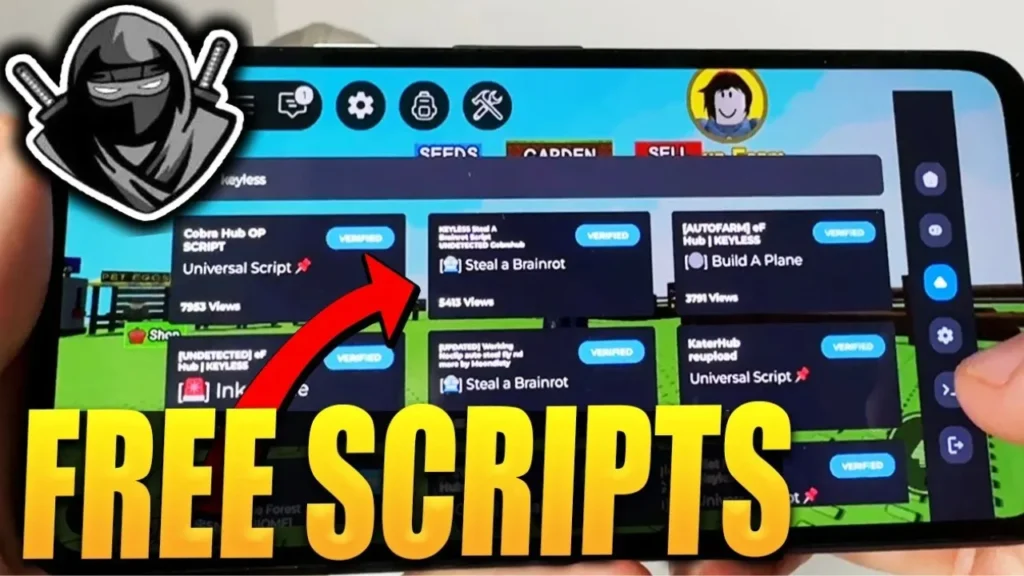
How to Run Delta Scripts Using an Executor
Executing a Delta Script in Roblox is easy when you follow the steps correctly. Below is a simple guide to help you get started without confusion.
Step 1: Install the Executor
- First, download Delta Executor from an official or trusted source.
- Install it on your device by following the setup instructions.
- Make sure your antivirus or firewall does not block the executor from running.
Step 2: Open Roblox
- Launch the Roblox app on your device.
- Join the game where you want to use the Delta script.
- Keep the game open while the executor runs in the background.
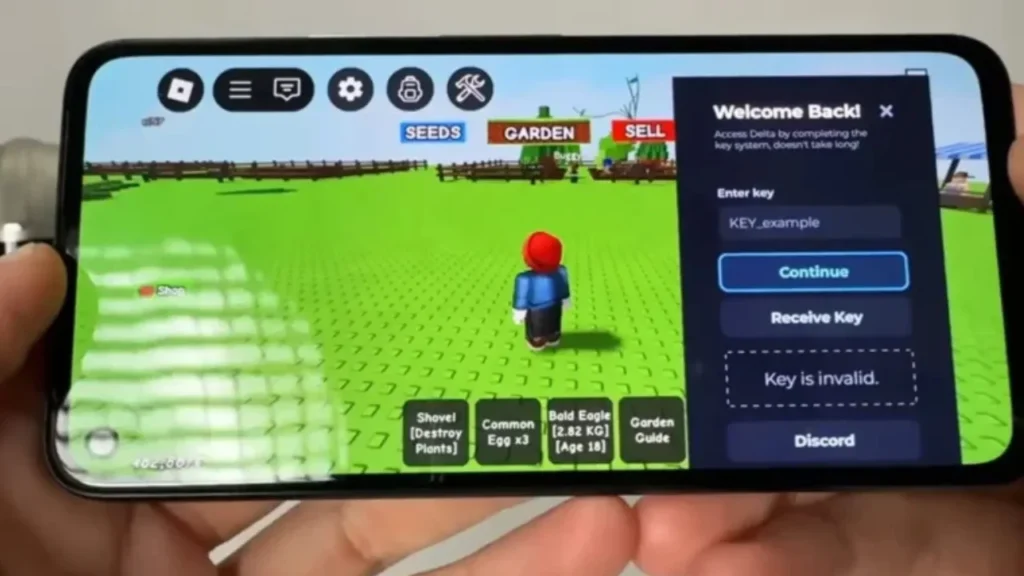
Step 3: Get the Delta Executor Key
- Open Delta Executor and select the Get Key or Key System option.
- Complete the required steps to receive your key.
- Paste the key into the executor to activate all features.
Step 4: Add the Script
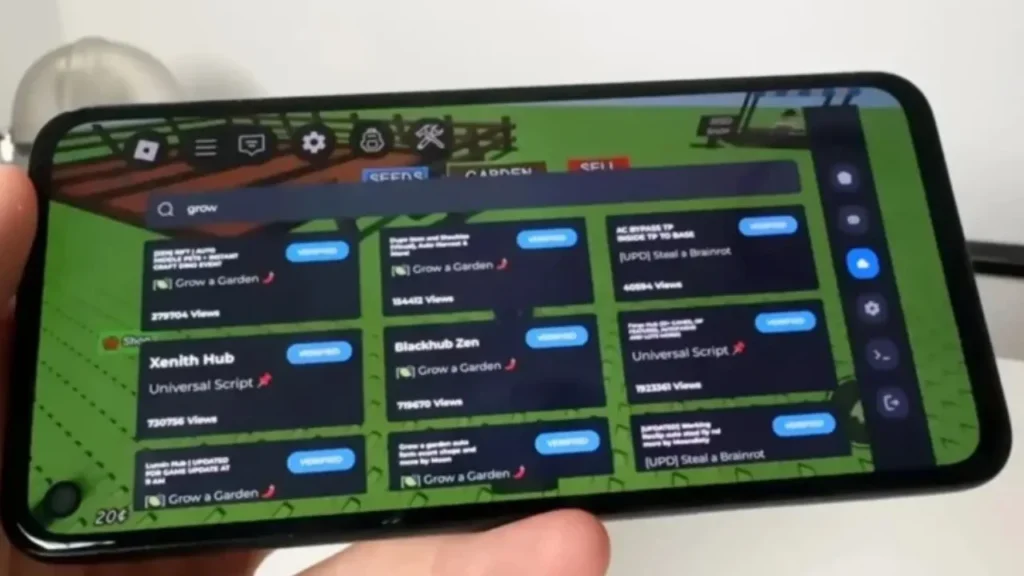
- Find a Delta Script for your game, such as Blox Fruits or Grow A Garden, from a trusted source.
- Copy the script code.
- Paste it into the script input box inside Delta Executor.
Step 5: Run the Script
- Click the Execute or Run button in the executor.
- Once the script loads, use the in-game menu to turn features like auto farming, teleport, or high jump on or off.
That’s all—you’re ready to use Delta Scripts in your Roblox game.
Features of Delta Script
Auto Farming
Delta Script helps automate repetitive actions such as collecting items, planting crops, or grinding resources. This is especially helpful in farming-style Roblox games like Grow A Garden, where it saves time and reduces manual effort.
Faster Level Progress
Delta Script for Blox Fruits automates grinding, farming, and movement, helping players level up faster without spending hours on repeated tasks.
Teleport Options
With Delta scripts, players can instantly move to different locations in the game. This feature is commonly used in Blox Fruits to travel between islands quickly and complete quests faster.
Easy-to-Use Interface
Delta scripts are known for their clean and simple interface. They work smoothly with Delta Executor, making the entire process – from setup to execution – easy even for new users.
No Key Versions
Some Delta scripts come with a no-key option, allowing users to run them without going through long verification steps. This makes it easier for beginners to get started and test features quickly.
Supports Multiple Games
Delta Script is compatible with a wide range of Roblox games. Players can choose from different script versions for games like Grow A Garden, 99 Nights in the Forest Script, and other popular titles.
Tips for Using Scripts in Delta Executor
Using Delta Scripts the right way can improve your Roblox experience while helping you avoid common problems. Follow these simple tips to stay safe and get better results.
Use Trusted Sources Only
Always download Delta Scripts from official or well-known platforms. This helps protect your device from harmful files or unsafe code.
Choose the Right Script for Each Game
Make sure the script matches the Roblox game you’re playing. Scripts made for games like Grow A Garden or Blox Fruits work better and are less likely to cause errors.
Try Scripts in a Private Server
Before using a script in public gameplay, test it in a private server. This allows you to check how it works and fix any issues without risk.
Don’t Overuse Automation
Using too many automated features can reduce the fun of the game and may attract unwanted attention. Use scripts moderately and only when needed.
Frequently Asked Questions
What is Roblox Delta Script?
Delta Script is a Lua-based script that runs through Delta Executor. It unlocks useful features like auto farming, teleporting, and other gameplay enhancements.
Is Delta Script safe to use?
Delta Script can be safe if downloaded from trusted sources. However, using scripts may still violate Roblox rules and can put your account at risk, so always use them carefully.
Can I use Delta Script in Blox Fruits?
Yes. Many players use Delta Script in Blox Fruits to automate grinding, movement, and combat to progress faster.
Does Delta Script work in Grow A Garden?
Yes. Delta Script for Grow A Garden helps speed up farming with features like auto seed planting and auto harvesting.
Which games are supported?
Delta Script supports several popular Roblox games, including Steal A Brainrot, Fisch, Blox Fruits, Grow A Garden, and more. Supported games are updated regularly.